Design & Research
Optical glasses Point
of Sale Web App
Role
Senior Product Designer
Tool
Sketch, Axture
Date
Aug, 2022
View project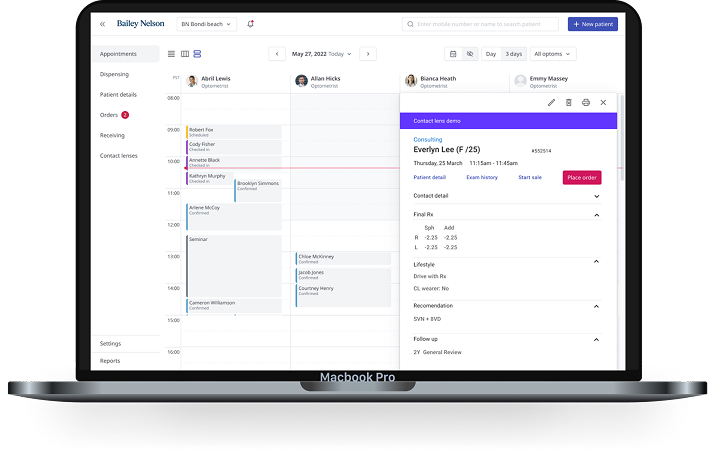
The problem
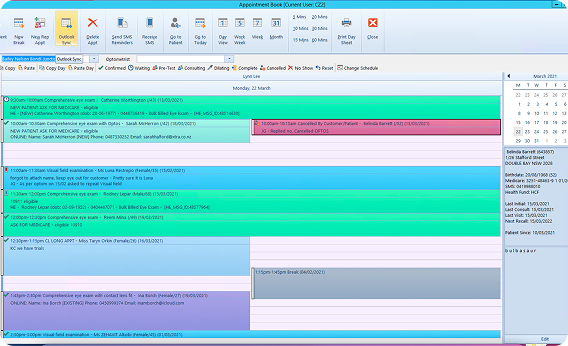
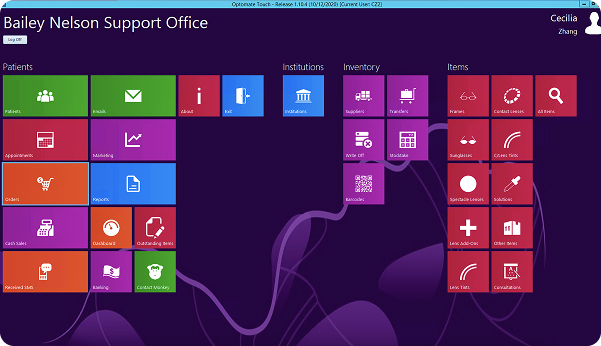
As the business grows fast, BN found the standard optical point of sale and dispensing system (made by Microsoft) is not fast/flexible enough and there are too many unnecessary features slow down their everyday operation.
Where to start?
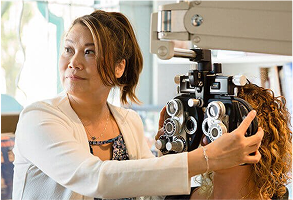
I applied a mix of user research methods to create a complete picture of what needs to change. There are four types of users use POS with different purposes.

Lisa Johnson
"I want to ensure I provide accurate information about patients' order history, product availability, and compatibility with different prescriptions to assist customers effectively."
Dr. Sarah Smith
"I aim to manage my time efficiently between conducting eye exams, diagnosing eye conditions, and handling administrative tasks for patient prescriptions."

Alex Thompson
"I struggle with appointment scheduling conflicts, and it's challenging to manage this while also tracking inventory levels and generating sales reports across different systems."

Mona Patel
"I block out an hour to complete the eye exam and purchase my optical glasses, aiming to get it done as easily as possible."
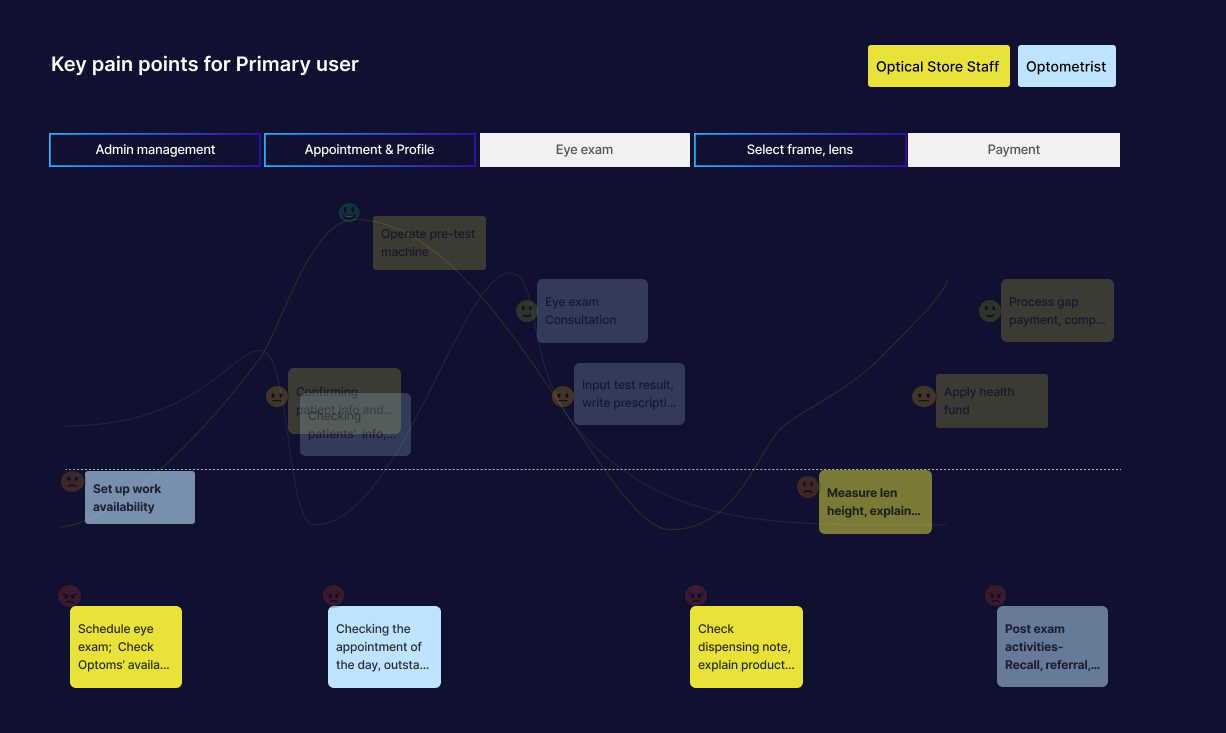
Interview primary user to understand and summarise key use cases and flows. Sharing insights with the leadership team and facilitating workshops to find the pain points pattern and discuss the MVP for next step.
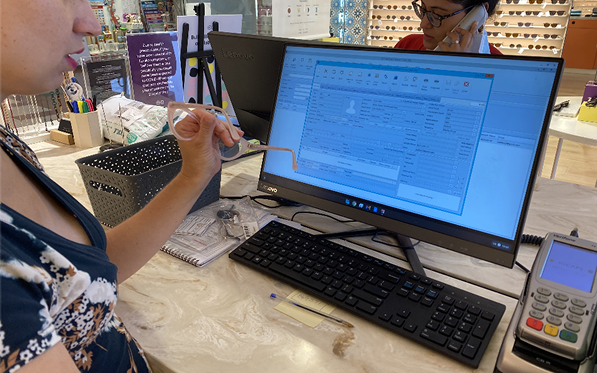
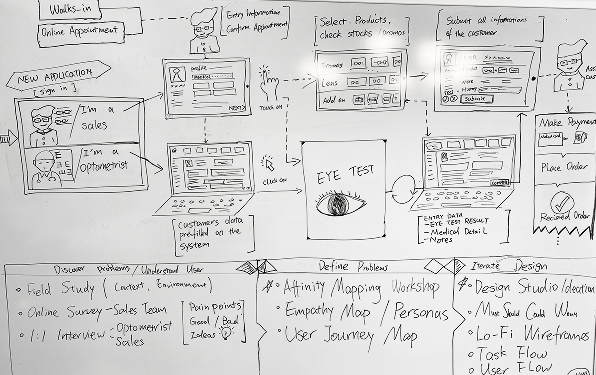
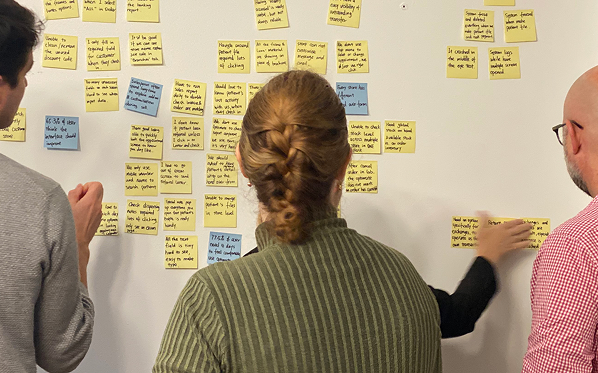
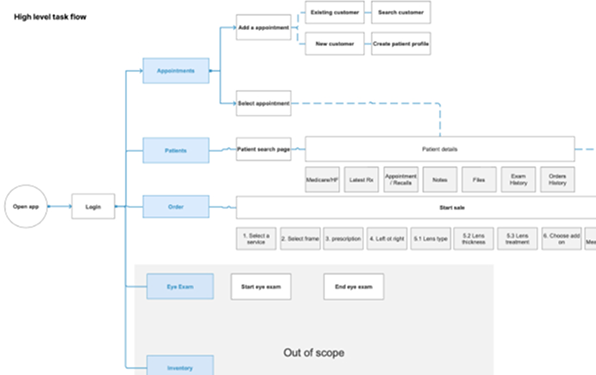
I obtain data for journey maps, personas, key use cases, and user stories to identify current pain points for primary user and decide the scope for MVP.
Appointment
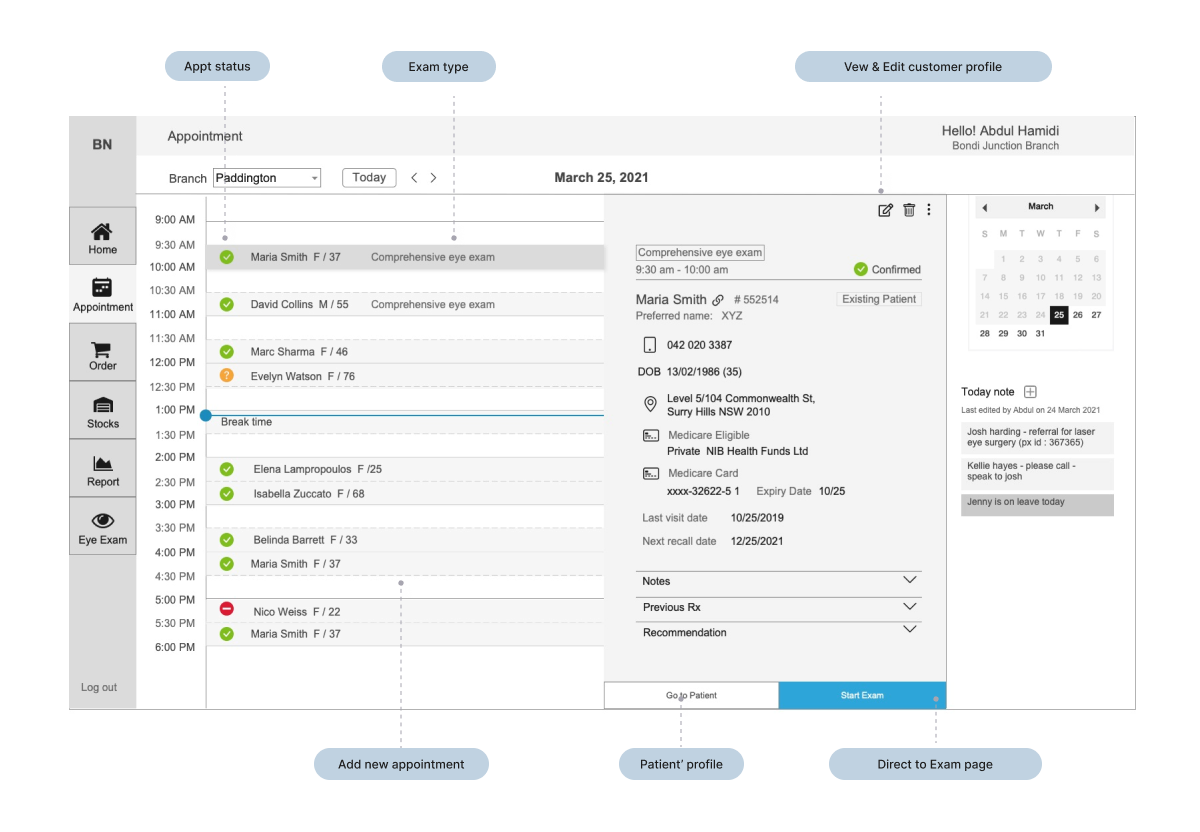
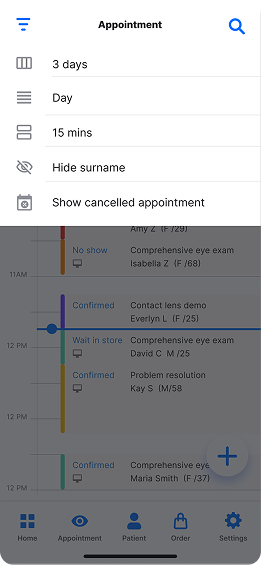
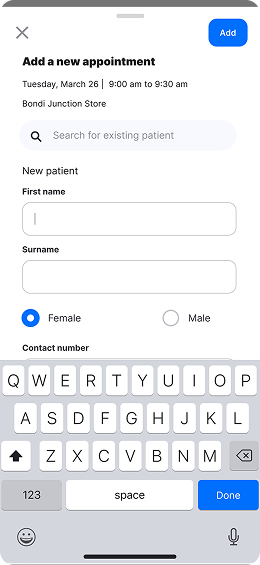
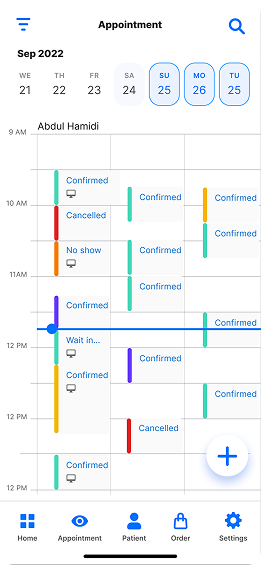
For both store staff and Optometrist need to start with the Appointment list as the main entry point. Through intuitive visualisations, they can identify busy periods, allocate time for urgent tasks, and opportunities to update and check patients’ information to prepares the day.
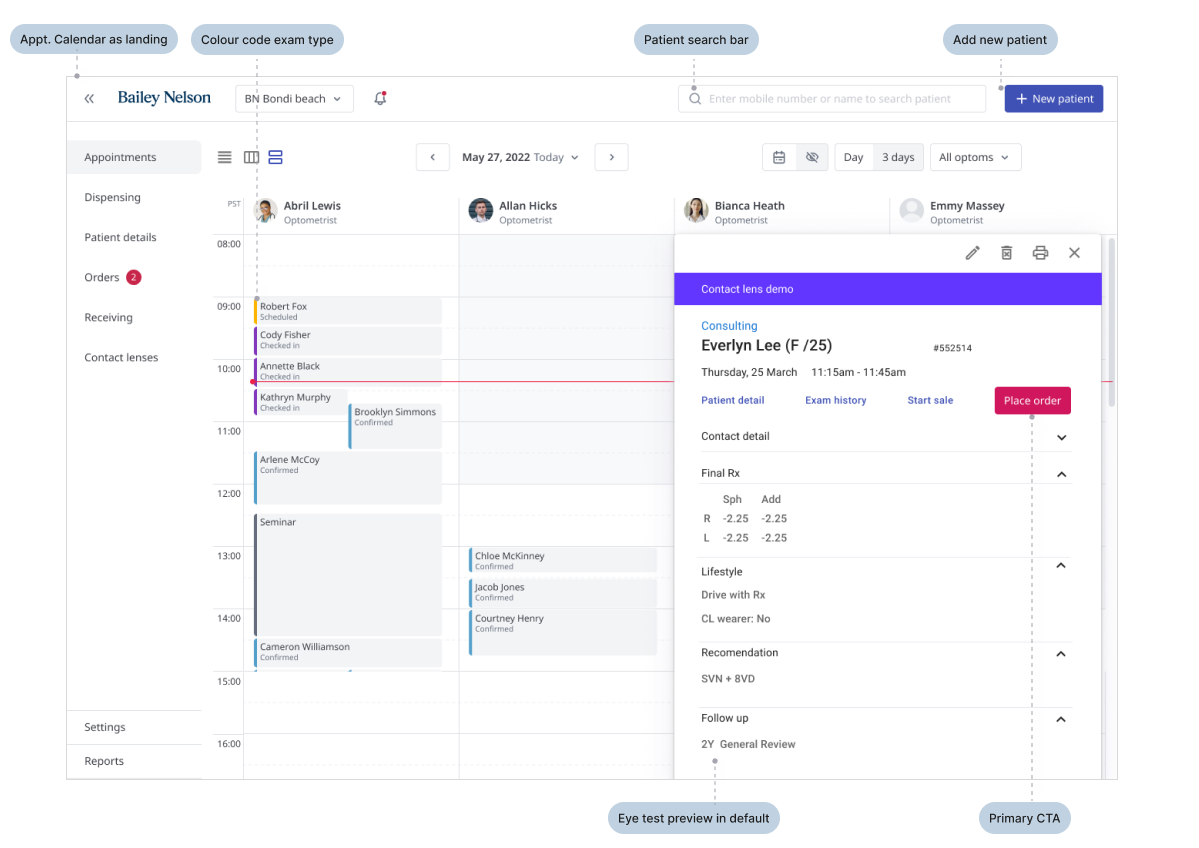
Continue iterating, worked on visual hierarchy, main call to action in each use case, demonstrate the multiple Optoms view and also applied material design.
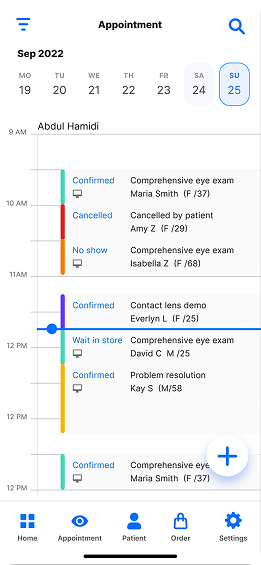
Mobile first approach for Appointment, as at the time business is considering to invest a mobile- version of appointment feature to allow store staff help customer with device on hand.
Select add-ons and place order
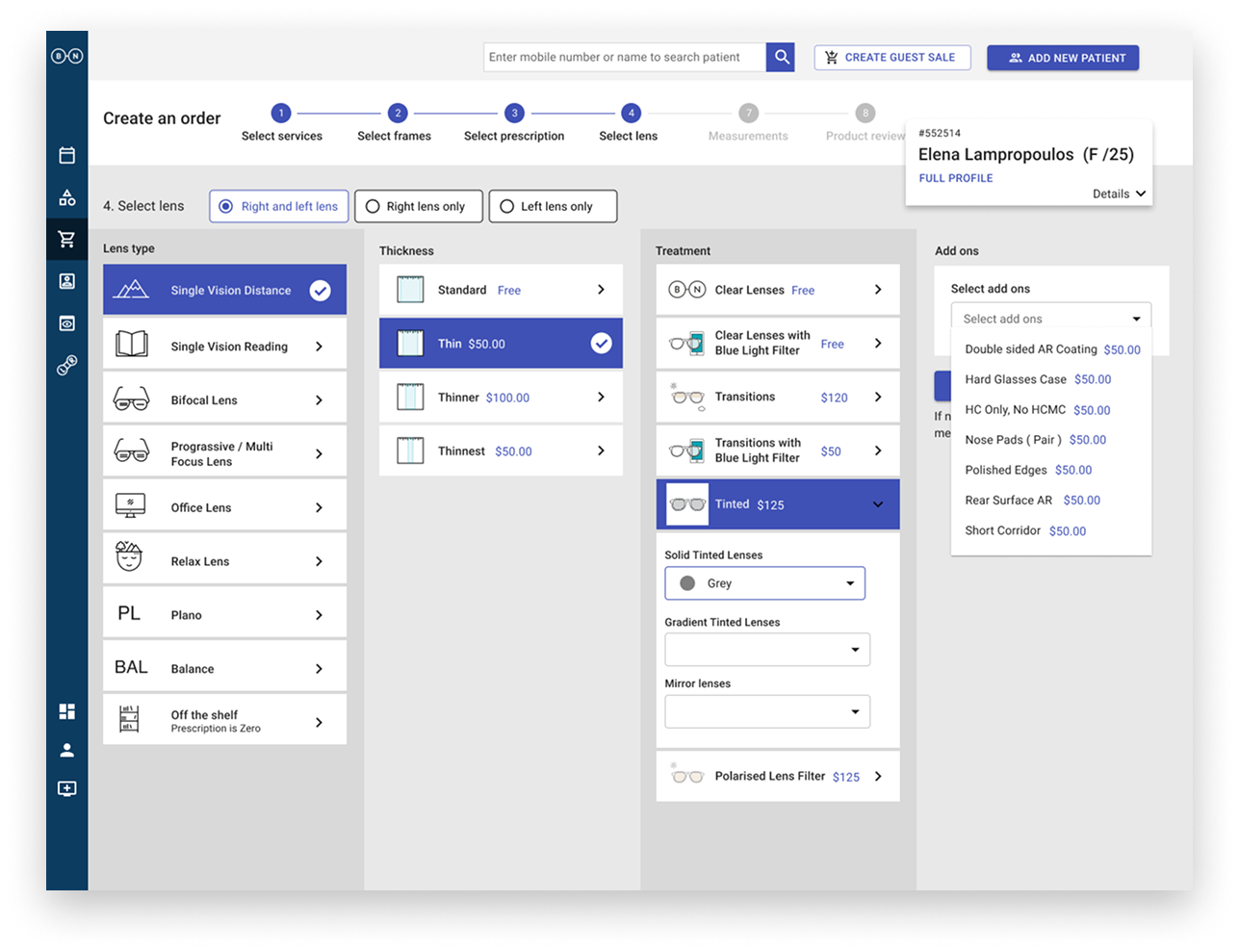
Another key function for this Point of sale is the place order for patients regards to their eye exam result and doctor’s recommendations. I have collected all scenarios and designed a streamline process to place order (select add-ons).
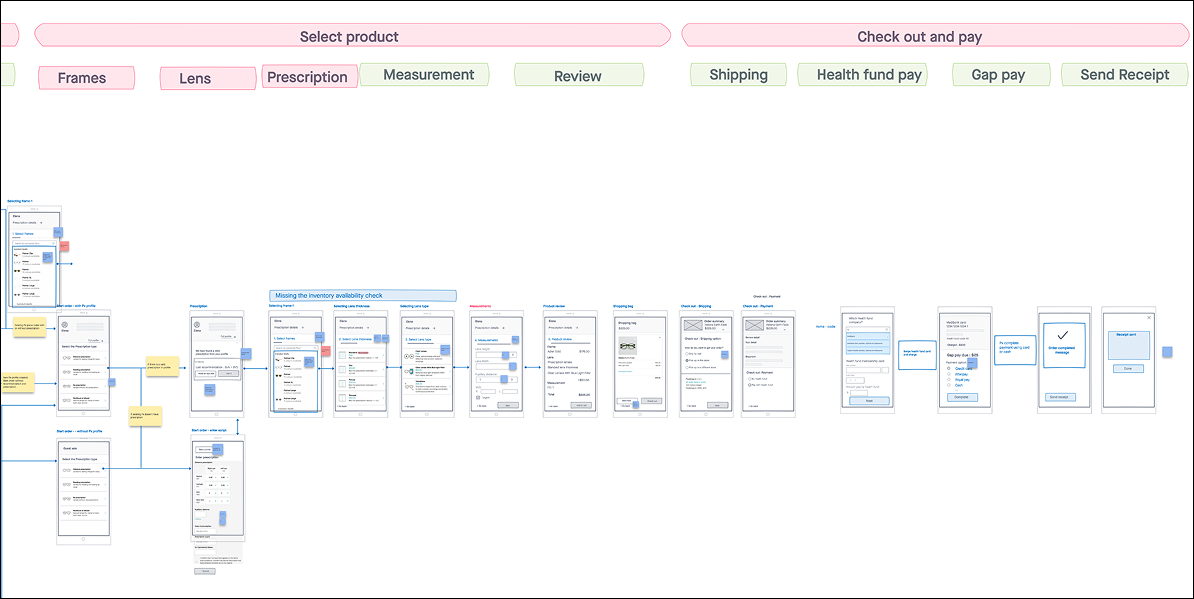
Final UI of shopping flow
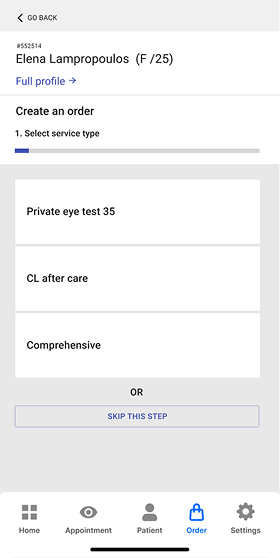
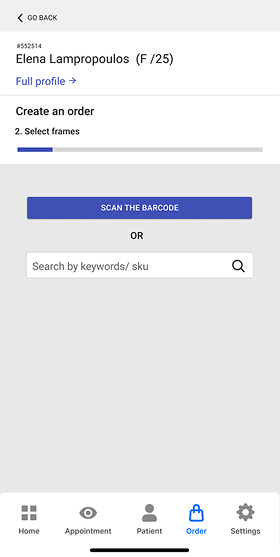
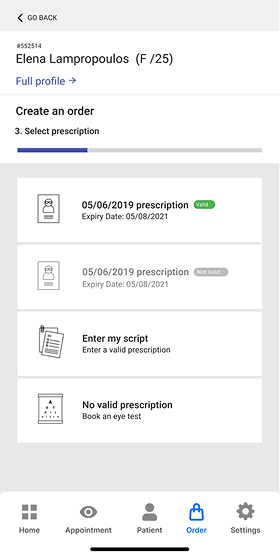
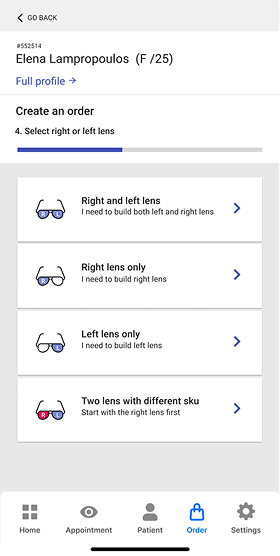
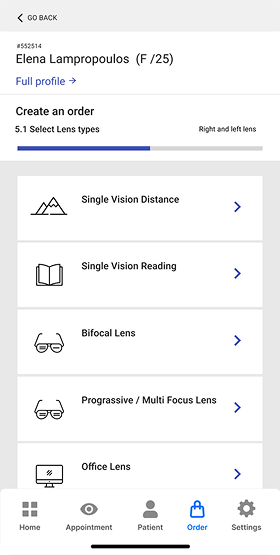
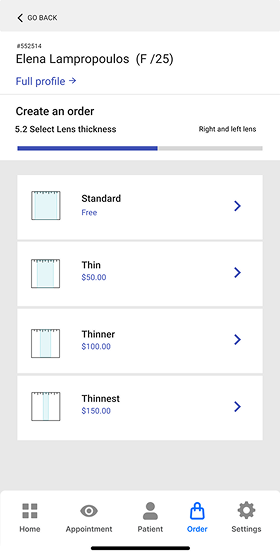
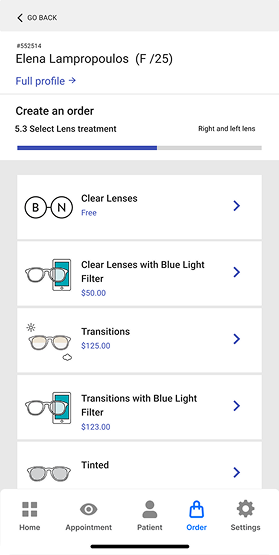
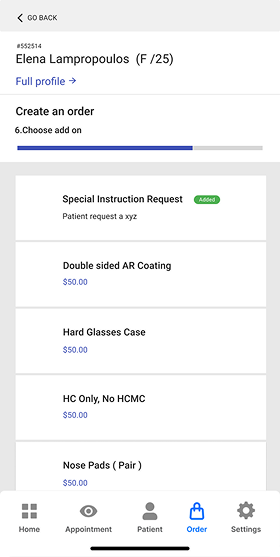
Desktop version of placing order flow
Result
During the one month after launching, we have proactively collect feedbacks via site visit. We've seen a big improvement of a 32% increase in how quickly and smoothly our team gets things done compare to the old system.. That means tasks like scheduling appointments and processing transactions are happening faster and with fewer Glitches
We've managed to slash our error rate by an 65%. That means fewer mistakes, which makes everything run more smoothly and gives everyone more confidence in the accuracy of our system.